Meta Title: Get a Live Transparent Phone Screen Like a Mirror (100% Free)
Meta Description: Learn how to get a live transparent phone screen like a mirror using 100% free apps. Follow our step-by-step guide for Android and iPhone to create a realistic transparent display effect.
URL Slug: get-live-transparent-phone-screen-free
Get a Live Transparent Phone Screen Like a Mirror (100% Free)
Imagine pulling your smartphone out of your pocket and seeing a display that looks completely transparent. Instead of a traditional wallpaper, the screen appears to show the world behind your phone, creating the illusion that the device is made of glass. This futuristic effect has become incredibly popular on TikTok, Instagram Reels, Facebook, and YouTube Shorts, where millions of users showcase their “transparent phones” to amaze friends and followers.
The best part? You don’t need to purchase an expensive transparent smartphone because such devices aren’t commercially available yet. Instead, you can recreate the same eye-catching effect using free apps that turn your phone’s rear camera into a live wallpaper. The result is a convincing transparent screen illusion that works on most Android devices and, to a limited extent, on iPhones.
In this comprehensive guide, you’ll learn everything you need to know about getting a live transparent phone screen like a mirror for free. We’ll explain how the effect works, recommend the best free apps, provide a detailed installation guide, discuss safety tips, troubleshoot common issues, and answer frequently asked questions.
What Is a Transparent Phone Screen?
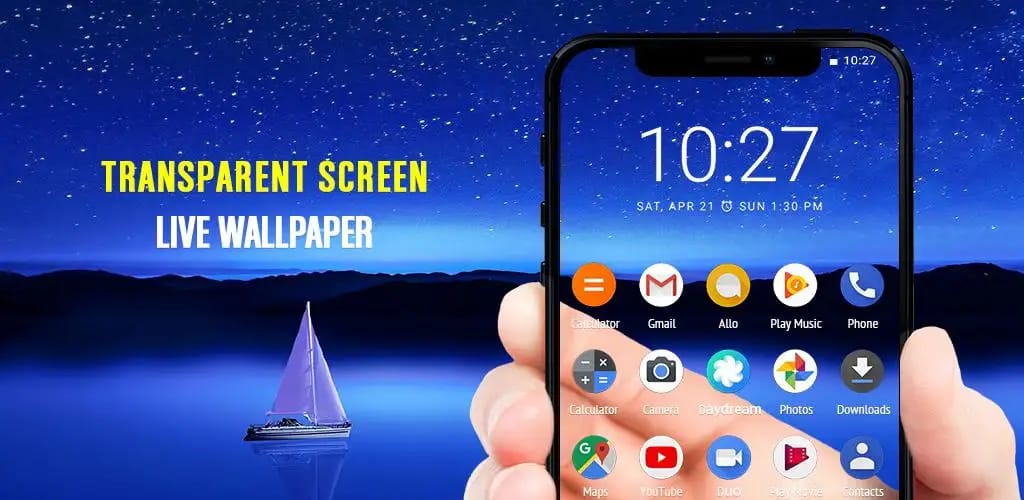
A transparent phone screen is a visual effect that makes it appear as though your smartphone display is see-through. Rather than changing the hardware, the illusion is created using your phone’s rear camera. The camera continuously captures whatever is behind your phone and displays that live feed as your wallpaper.
When your app icons, widgets, and navigation buttons appear on top of this live camera feed, your brain perceives the phone as being transparent. This clever trick has become increasingly popular because it gives any smartphone a futuristic appearance without requiring any physical modifications.
Many people mistakenly believe that transparent phones shown in viral videos are real devices. In reality, most of these videos rely on camera wallpaper apps, video editing effects, or concept designs. While companies have demonstrated transparent display technology in research labs, there are currently no mainstream transparent smartphones available for consumers.
Can You Really Make Your Phone Transparent?
The short answer is yes—but only visually.
Your phone’s display remains exactly the same. The transparent appearance comes entirely from software that streams the rear camera feed to your home screen. Because the wallpaper changes in real time as you move your phone, the illusion looks surprisingly convincing.
This means you can enjoy the futuristic appearance without spending money on special hardware. Most transparent screen apps are free to download and only require permission to access your camera.
How Does a Live Transparent Wallpaper Work?
The process is straightforward:
- Install a transparent screen application.
- Grant camera permission.
- Activate the live wallpaper feature.
- Return to your home screen.
- Watch the camera feed appear behind your icons.
As you move your phone, the wallpaper updates instantly, making it look as though you’re seeing through the display itself.
Because the camera remains active, these apps typically consume more battery than a normal wallpaper. However, modern smartphones handle this feature reasonably well, especially for short periods.
Is It Really 100% Free?
Yes. Many transparent wallpaper applications are available free of charge. While some developers include advertisements or optional premium upgrades, the core transparent wallpaper feature usually doesn’t require payment.
Before installing any app, check the reviews, ratings, and permissions. Download apps only from trusted sources such as the Google Play Store or Apple App Store.
Best Free Transparent Screen Apps
Several applications provide excellent transparent wallpaper effects. Popular options include:
- Transparent Screen & Live Wallpaper
- Transparent Live Wallpaper
- Camera Live Wallpaper
- Transparent Launcher
- Live Wallpaper HD Camera
Choose an app with high ratings, recent updates, and positive user reviews for the best experience.
Step-by-Step Guide for Android
Getting a transparent screen on Android is easy:
- Open Google Play Store.
- Search for “Transparent Live Wallpaper.”
- Install a highly rated app.
- Open the application.
- Allow camera access.
- Tap “Set Live Wallpaper.”
- Confirm the wallpaper selection.
- Return to the home screen.
Your phone should now display a live camera feed behind your icons.
How to Get a Transparent Screen on iPhone
Apple limits live wallpaper functionality, making the effect less flexible than Android. However, some apps offer similar experiences within the app itself or using interactive widgets.
To try the effect:
- Open the App Store.
- Search for transparent wallpaper apps.
- Install a trusted application.
- Follow the app’s instructions.
- Grant camera permission if requested.
Keep in mind that iOS restrictions may prevent a true live wallpaper experience on all devices.
Benefits of a Transparent Phone Screen
Using a transparent wallpaper offers several advantages:
- Creates a futuristic appearance.
- Makes your phone stand out.
- Great for social media content.
- Easy to install.
- Doesn’t require rooting.
- Completely reversible.
- Free to use.
- Compatible with most Android phones.
Many creators use transparent screens in videos because they instantly capture viewers’ attention.
Limitations
Although the effect is impressive, it has a few drawbacks:
- Higher battery usage.
- Increased camera activity.
- May reduce performance on older devices.
- Not true hardware transparency.
- Limited functionality on iPhones.
Understanding these limitations helps set realistic expectations.
Safety and Privacy Tips
Whenever an app requests camera permission, make sure it comes from a reputable developer. Avoid downloading apps from unknown websites. Review the permissions requested and uninstall any application that behaves suspiciously.
If you notice unusual battery drain or overheating, disable the live wallpaper when not in use.
Troubleshooting Common Problems
Wallpaper doesn’t appear: Restart your phone and set the wallpaper again.
Camera permission denied: Enable camera access in your phone’s settings.
Battery drains quickly: Reduce screen brightness and disable the wallpaper when unnecessary.
Phone becomes slow: Close background apps and restart the device.
Frequently Asked Questions
Is a transparent phone screen real?
No. It’s a software-generated illusion using your phone’s rear camera.
Does it damage my phone?
No. These apps don’t modify your hardware.
Can I use it for free?
Yes. Most transparent wallpaper apps provide the basic feature without charge.
Does it work on all Android phones?
It works on most modern Android devices with camera support for live wallpapers.
Does it work on iPhones?
The effect is more limited because of iOS restrictions.
Final Thoughts
A live transparent phone screen is one of the easiest ways to give your smartphone a futuristic look without spending any money. While it doesn’t make your phone physically transparent, the live camera wallpaper creates a surprisingly realistic illusion that’s perfect for entertaining friends, creating viral videos, or simply enjoying a unique home screen.