Smartphones in 2026 are more powerful—and more personal—than ever. We store banking apps, private photos, work emails, and sensitive documents on our Android devices. That’s why phone security is no longer optional.
Most people rely on fingerprints, PINs, or face unlock… but what if you could unlock your phone with your voice?
Welcome to the world of Voice Lock on Android.
In this complete guide, you’ll learn:
- ✅ What voice lock is and how it works
- ✅ Whether Android supports voice unlocking natively
- ✅ How to set up voice lock for free on any Android phone
- ✅ Best apps to use in 2026
- ✅ Pros, cons, and security tips
- ✅ FAQs people are searching for online
Let’s dive in 🚀
What Is Voice Lock on Android?
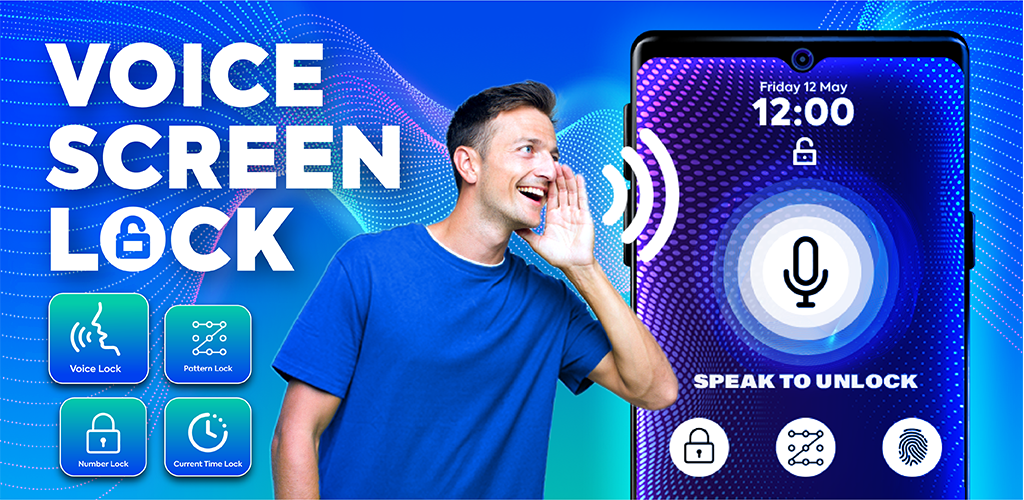
Voice Lock is a security feature that allows you to unlock your phone—or specific apps—using a spoken phrase instead of a password, pattern, or fingerprint.
For example, you might say:
“Unlock my phone”
“Open device”
“Hello secure phone”
Your device (or an app) analyzes your voice pattern and grants access only if it matches your registered voice.
It’s a form of biometric authentication, just like fingerprint or face recognition—except it uses voiceprints.
Does Android Have Built-In Voice Unlock in 2026?
Short answer: Not fully.
Most Android phones still don’t offer native system-level voice unlocking the same way they offer fingerprint or face unlock.
However, Android does support:
- Voice Match through Google Assistant
- Smart Lock features
- Accessibility controls
- Third-party lock screen and app-locking apps
With the right setup, you can still create a working voice-based locking system—100% free.
Why People Want Voice Lock in 2026
Search trends show growing interest in voice-based security because:
- 📱 Hands-free unlocking while driving or cooking
- ♿ Helpful for users with mobility challenges
- 🔐 Adds an extra layer of protection
- 🤖 Feels futuristic and cool
- 🎙️ Works alongside fingerprint/face unlock
Method 1: Use Google Assistant + Voice Match (Partial Voice Unlock)
This is the closest thing Android offers natively.
Step-by-Step Setup:
- Open Settings on your phone
- Go to Google → Settings for Google apps → Search, Assistant & Voice
- Tap Google Assistant
- Select Hey Google & Voice Match
- Enable Hey Google
- Train your voice model
- Turn on personal results for lock screen
What This Does:
- Lets Google Assistant respond only to your voice
- Can perform some actions from the lock screen
- NOT a full phone unlock in most cases
👉 Think of this as voice-protected assistant access, not full device unlocking.
Method 2: Use Free Voice Lock Apps (Best Option)
To truly lock or unlock apps using voice commands, third-party apps are the way to go in 2026.
These apps create a custom lock screen or app vault that listens for your voice phrase.
Features Usually Included:
- 🎤 Custom voice passwords
- 🔐 PIN backup option
- 📲 Lock specific apps
- 🛡️ Anti-intruder selfies
- ⏱️ Auto-lock timers
How to Set Voice Lock Using a Free App (General Process)
No matter which app you choose, the setup is usually similar:
1️⃣ Install the App
Download a trusted voice lock or app-locker app from the Play Store.
2️⃣ Grant Permissions
Allow:
- Microphone access
- Overlay permissions
- Accessibility services
These are required so the app can intercept unlock attempts.
3️⃣ Record Your Voice Password
- Speak a phrase 3–5 times
- Choose something unique
- Avoid common words like “open phone”
4️⃣ Set Backup PIN
Always create a numeric PIN or pattern in case voice recognition fails.
5️⃣ Test It
Lock your phone or selected apps and try unlocking with:
- Your voice
- Wrong voice (should fail)
- PIN backup
Is Voice Lock Really Secure?
Voice authentication is improving fast—but it’s not perfect.
👍 Pros:
- Convenient
- Hands-free
- Fun to use
- Adds extra protection to apps
- Good for accessibility
👎 Cons:
- Can struggle in noisy environments
- Some apps may be fooled by recordings
- Slower than fingerprint
- Depends heavily on microphone quality
🔒 Security Tips:
- Use voice lock with fingerprint/PIN, not instead of it
- Avoid short phrases
- Don’t record yourself saying the phrase publicly
- Keep system lock enabled
- Update apps regularly
Can Someone Unlock My Phone With a Recording?
This depends on the app and technology used.
Modern voice-recognition systems try to detect:
- Tone
- Pitch
- Breathing
- Natural variation
Still, some basic apps can be fooled by recordings.
👉 That’s why experts recommend using voice lock as a secondary layer, not your only protection.
Best Use Cases for Voice Lock
Voice locking works great for:
- 📂 Locking WhatsApp, gallery, banking apps
- 📱 Secondary screen unlock
- Kids’ phones
- Accessibility needs
- Smart-home controls
- Tech enthusiasts testing new features
Frequently Asked Questions (2026)
❓ Is voice lock free on Android?
Yes! Many apps offer free versions with ads. Google Assistant Voice Match is also free.
❓ Can I unlock my entire phone with voice?
Not fully through built-in Android settings. Third-party apps can simulate it, but system-level unlocking is still limited for security reasons.
❓ Which Android version supports voice lock?
Most modern versions support Voice Match and accessibility features. App-based solutions work on Android 11–15+ in 2026.
❓ Does voice lock work offline?
Some apps do. Google Assistant usually requires internet for advanced features.
Final Thoughts
Voice lock on Android in 2026 is no longer science fiction—it’s a practical, fun, and sometimes useful way to add another layer of security to your phone